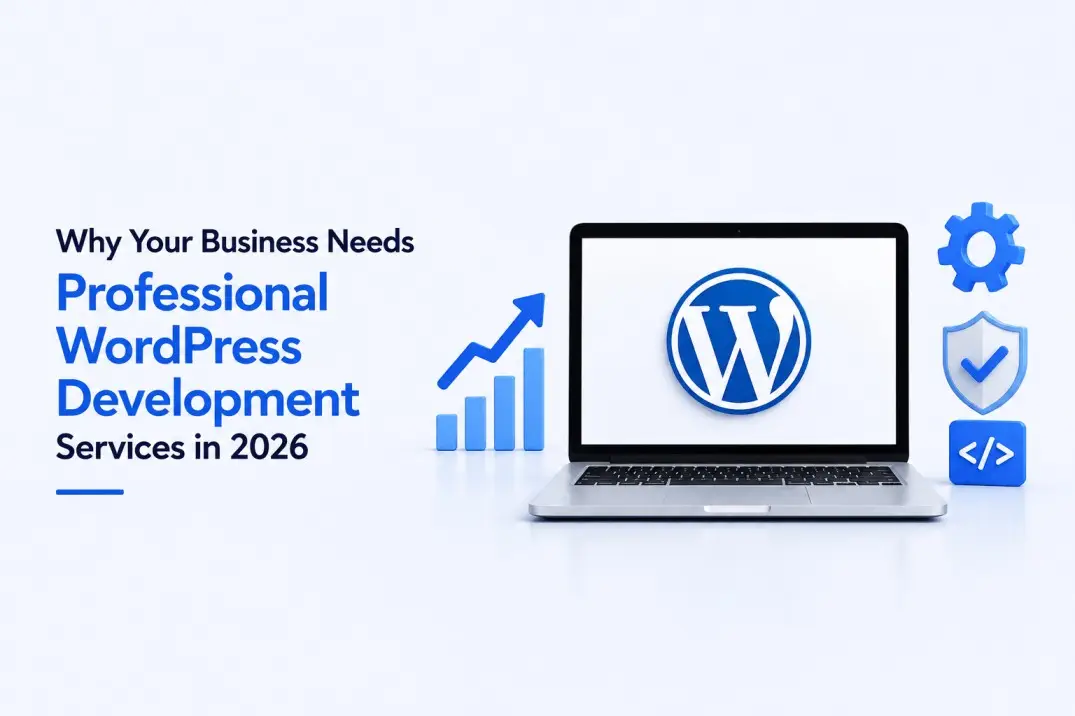
Why Does Your Website Platform Even Matter?
Most business owners treat their website as a one-time checkbox. Build it, launch it, forget it. But your website is often the very first touchpoint a potential customer has with your brand. And in a world where people judge businesses within three seconds of landing on a page, the platform underneath your website matters more than most people think.
WordPress powers over 43% of all websites on the internet today. That is not a coincidence. It is the result of decades of refinement, a massive developer ecosystem, and a platform that scales from a simple blog to a billion-dollar enterprise without ever forcing you to migrate somewhere else.
But here is what many businesses miss: WordPress is only as good as the team that builds on it. A poorly developed WordPress site is slow, insecure, and nearly impossible to maintain. A professionally developed one is an asset that compounds in value month after month.
What Exactly Are WordPress Development Services?
WordPress development services cover everything involved in building, optimizing, securing, and maintaining a WordPress website. This goes far beyond picking a theme and adding some text. Professional WordPress development includes:
- Custom theme engineering built specifically for your brand and goals
- Plugin development for functionality that does not exist off the shelf
- Performance optimization to pass Google Core Web Vitals standards
- Security hardening to protect against malware, brute-force attacks, and data breaches
- WooCommerce development for online stores that need to convert and scale
- Migration services that move your existing site without losing SEO rankings
- Ongoing support and maintenance so your site stays fast, secure, and up to date
At TechLooker, every one of these is handled under one roof. From the first design wireframe to ongoing post-launch monitoring, the team takes full ownership of your WordPress investment.
What Are the Facts? WordPress by the Numbers
Before deciding whether WordPress is right for your business, it helps to understand what the data says:
- WordPress powers 43.4% of all websites globally as of 2026 (W3Techs)
- There are over 59,000 plugins in the official WordPress repository
- WordPress holds a 62.8% share of the CMS market, more than Shopify, Wix, and Squarespace combined
- Websites built on WordPress generate over 70 million new posts per month
- Google has confirmed that page experience and Core Web Vitals are ranking factors, a metric most template-built WordPress sites fail
- Businesses that migrate from page-builder themes to custom WordPress builds report average speed improvements of 40 to 70 percent
These numbers tell a clear story: WordPress is not just popular, it is the dominant web platform. The question is not whether to use WordPress. It is whether to build on it properly.
Related WordPress Services at TechLooker
How Is the Industry Doing? The WordPress Market in 2026
The WordPress ecosystem has never been healthier. With the rise of AI-powered search tools like ChatGPT, Google AI Overviews, and Perplexity, there is a new dimension to website performance that businesses are just starting to understand. Properly structured WordPress sites are being cited in AI-generated answers at a significantly higher rate than sites built on page builders or bloated themes.
Meanwhile, the WooCommerce ecosystem has crossed $30 billion in annual sales volume. eCommerce entrepreneurs who once migrated to Shopify are returning to WooCommerce for its flexibility and lower long-term costs. Custom WordPress stores built by experienced developers are outpacing template-based competitors in both conversion rates and search visibility.
Security threats are also rising. WordPress sites are targeted by automated bots daily. The businesses that invest in proper security hardening, firewalls, two-factor authentication, malware scanning, automated backups, avoid the costly downtime and data breaches that poorly maintained sites suffer.
The industry is moving in one clear direction: custom, fast, secure, and AI-visible. Businesses that build their WordPress presence properly today will compound that advantage for years.
What Could Be Better? Common WordPress Mistakes to Avoid
Many businesses get WordPress development wrong in predictable ways. Here are the most common pitfalls:
1. Using Multipurpose Themes
Themes like Divi, Avada, and X Theme are popular because they are affordable and easy to set up. But they come with massive code bloat that slows down your site and introduces security vulnerabilities. Every feature the theme includes, whether you use it or not, adds weight to your pages.
2. Installing Too Many Plugins
Plugins are one of WordPress’s greatest strengths. But every plugin you add is a potential performance hit, a security risk, and a maintenance liability. Professional developers build custom solutions for specific needs instead of stacking plugin upon plugin.
3. Ignoring Core Web Vitals
Google’s Core Web Vitals, specifically Largest Contentful Paint, Cumulative Layout Shift, and Interaction to Next Paint, directly affect your search rankings. Most template-built sites fail these metrics without the owner ever knowing.
4. Skipping Security Hardening
WordPress is the most targeted CMS on the internet. Without proper hardening, including limiting login attempts, two-factor authentication, web application firewalls, and regular security audits, your site is a target waiting to be hit.
5. Not Optimizing for AI Search
With AI Overviews now appearing on a significant percentage of Google searches, having structured data, schema markup, and well-organized content is more important than ever. Sites not built for AI visibility are being passed over in favor of better-structured competitors.
How TechLooker Can Help: Our WordPress Development Approach
TechLooker’s WordPress development services are built around one principle: your website should be an investment, not an expense. Here is what that looks like in practice:
Custom Design, Zero Templates
Every website TechLooker builds starts from scratch. No multipurpose themes, no page builders. Custom block themes built on lightweight foundations with clean code that loads fast and ranks higher.
Performance-First Architecture
Our WordPress speed optimization services target sub-1.5-second load times through image optimization, CDN configuration, advanced caching, and database cleanup. We measure results before and after with no vague promises.
Enterprise-Grade Security
With our WordPress security services, your site gets web application firewalls, malware scanning, two-factor authentication, and daily automated backups with one-click restore. Proactive protection, not reactive recovery.
WooCommerce Built to Convert
Our WooCommerce development services cover everything from custom product pages to optimized checkout flows, multi-gateway payment integration, and mobile-first shopping experiences that reduce cart abandonment.
Seamless Migrations
Moving from Wix, Squarespace, Shopify, or any other platform? Our WordPress migration services ensure zero downtime, preserved URL structures, carried-forward SEO equity, and full QA before going live.
Custom Design That Converts
From brand identity to UX testing, our custom WordPress design team creates visually distinctive websites that turn visitors into leads from day one.
Frequently Asked Questions about WordPress Development Services
Q1: What is the difference between WordPress.com and WordPress.org?
WordPress.com is a hosted service that limits what you can do with your site. You do not own the platform, and customization is restricted. WordPress.org is the self-hosted, open-source version that gives you complete ownership of your code, your data, and your design. Professional WordPress development always uses WordPress.org.
Q2: How long does it take to build a custom WordPress website?
Timelines vary depending on the scope of the project. A standard business website with five to ten pages typically takes three to six weeks from discovery to launch. A custom WooCommerce store or enterprise multisite network can take two to four months. TechLooker provides a detailed project timeline during the discovery phase so there are no surprises.
Q3: How much does professional WordPress development cost?
Pricing depends on the complexity and scope of the project. A professionally built business website starts in the range of $3,000 to $8,000. WooCommerce stores and enterprise builds are priced based on specific requirements. What matters more than the upfront cost is the return: a properly built WordPress site generates leads, ranks in search, and reduces long-term maintenance costs significantly compared to a cheap template build.
Q4: Will my WordPress website be mobile-friendly?
Absolutely. Every TechLooker build is mobile-first by design. With over 60% of web traffic coming from mobile devices, responsive design is not optional. It is the foundation of every project.
Q5: Can I update my WordPress site myself after it is built?
Yes. One of WordPress’s biggest advantages is its non-technical content management. TechLooker builds every site with clean admin interfaces that allow your team to update pages, add blog posts, manage products, and handle media without ever touching code.
Q6: What happens if my WordPress site gets hacked?
If your site is under TechLooker’s security services, we handle malware removal, restore from backup, identify the vulnerability, and patch it. Our proactive security setup is designed to prevent this from happening in the first place, but if it does, you have a team ready to respond.
Q7: Does WordPress work for large eCommerce stores?
WooCommerce, the eCommerce layer built on WordPress, handles millions of products and thousands of daily transactions. It powers some of the largest online retailers in the world. The key is proper performance architecture including caching, CDN, database optimization, and server configuration. TechLooker’s WooCommerce development service covers all of this.
Q8: Will my site rank on Google after it is built?
A properly built WordPress site gives you a strong technical foundation for SEO. TechLooker builds every site with semantic HTML, schema markup, and clean URL structures. However, ongoing SEO including content creation, link building, and optimization is a separate engagement. We offer dedicated WordPress SEO services for businesses serious about search visibility.
Q9: Can I migrate my existing Wix or Squarespace site to WordPress?
Yes. TechLooker’s migration services handle transfers from Wix, Squarespace, Shopify, Magento, Joomla, Drupal, Webflow, and custom platforms. Content structure is preserved, URL paths are maintained, SEO equity is carried forward, and 301 redirects are configured for any changed URLs.
Q10: What ongoing support is available after launch?
TechLooker offers monthly maintenance and support plans that cover core and plugin updates, security monitoring, uptime tracking, performance maintenance, and priority support. We also offer ad hoc support for businesses that prefer to pay as needed.
Q11: How does WordPress perform for AI search like ChatGPT and Google AI Overviews?
Properly structured WordPress sites with schema markup, clear content hierarchy, and authoritative information are among the most-cited sources in AI-generated answers. TechLooker builds AI visibility into every project from the start. This is no longer optional for businesses serious about digital presence.
Q12: Do I need a custom plugin or will a free plugin work?
For most common functionality, quality free or premium plugins work well. However, when off-the-shelf plugins introduce performance hits, security risks, or functionality limitations, TechLooker builds custom plugins to precise specifications. This is especially relevant for enterprise builds and businesses with unique workflow requirements.
Explore More WordPress Services by TechLooker
WordPress Development | Custom WordPress Design | Speed Optimization | Security Services | WooCommerce Development | Migration Services