
Why Is Salesforce Integration One of the Most Valuable Things You Can Do?
The average enterprise uses 89 software applications.
Each one holds data that is relevant to your customers, your operations, or your revenue.
Without integration, your sales team makes decisions on partial information.
Your service team looks up the same customer in three different systems.
Your marketing team sends campaigns to people who closed last week.
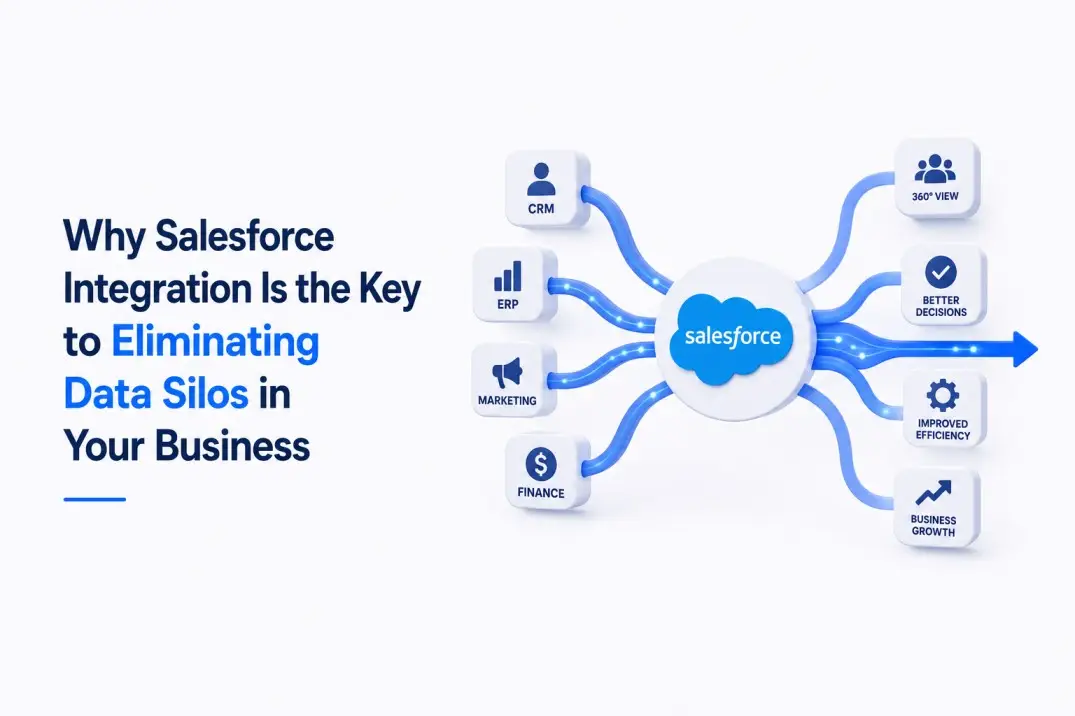
Salesforce integration connects every system you operate into one coherent, real-time picture.
The result is faster decisions, fewer errors, and better customer experiences across every touchpoint.
What Are Salesforce Integration Services?
Salesforce integration services connect your Salesforce CRM to every other system in your technology stack.
This includes:
- ERP systems like SAP, Oracle, Microsoft Dynamics, and NetSuite
- Marketing platforms like HubSpot, Marketo, Pardot, and Mailchimp
- Payment gateways like Stripe, Braintree, and PayPal
- eCommerce platforms like Shopify, Magento, and WooCommerce
- Communication tools like Microsoft 365, Gmail, Slack, and Zoom
- Data warehouses like Snowflake, BigQuery, and Redshift
- Legacy databases and on-premise systems via custom middleware
Integration can be one-directional (pushing data from system A into Salesforce) or bi-directional (real-time synchronisation between systems).
The right approach depends on your data governance requirements and business processes.
What Are the Facts? Integration Impact Data
- 89% of enterprise employees use more than one application to do their jobs (MuleSoft Connectivity Benchmark Report)
- Data silos cost businesses an average of $12.9 million per year in lost productivity (IBM)
- Companies with fully integrated tech stacks see 35% faster revenue growth than siloed competitors
- Sales reps spend 18% of their week manually entering data that a proper integration would handle automatically
- Customer service resolution time drops by an average of 32% when agents have a 360-degree view from integrated systems
- MuleSoft is used by over 40% of Fortune 500 companies as their integration platform of choice
The return on integration investment is almost always positive and often dramatic.
Every hour your team spends manually reconciling data between systems is an hour lost to customer acquisition.
How Is the Industry Doing? Integration Trends in 2026
Real-Time Integration Is Replacing Batch Synchronisation
The era of nightly data syncs is over for most enterprises.
Real-time, event-driven integration ensures that when a contact is updated in your ERP, Salesforce reflects that change in seconds.
This real-time accuracy feeds better AI models, better reporting, and better customer experiences.
Low-Code Integration Platforms Are Accelerating Time-to-Value
MuleSoft, Boomi, Jitterbit, and Zapier have dramatically lowered the effort required for standard integrations.
Pre-built connectors for the most common enterprise systems reduce integration build time from months to weeks.
Custom integrations are still required for proprietary or legacy systems, but the baseline has moved significantly.
Data Cloud Is Becoming the Central Integration Hub
Salesforce Data Cloud is shifting the integration conversation.
Rather than integrating every system directly to Salesforce, businesses are integrating all systems to Data Cloud.
Data Cloud becomes the unified customer data platform, and Salesforce CRM becomes one consumer of that data.
This architecture is more scalable, more resilient, and more AI-ready than traditional point-to-point integrations.
TechLooker’s data visualisation services and Power BI consulting sit on top of these unified data architectures to deliver executive-level reporting across all integrated systems.
What Could Be Better? Common Salesforce Integration Mistakes
Point-to-Point Integration Without an Architecture Plan
Many organisations build integrations one at a time without a broader data architecture view.
The result is a web of fragile, undocumented point-to-point connections that breaks whenever any one system changes.
An integration platform like MuleSoft creates a managed, documented integration layer that is resilient and maintainable.
Ignoring API Rate Limits
Every Salesforce integration consumes API calls.
Poorly designed integrations can exhaust your daily API allowance, causing failures in critical business processes.
Professional integration design includes API call optimisation: batching requests, using streaming subscriptions, and implementing retry logic.
No Error Handling or Alerting
Integrations fail silently when error handling is not built in.
A record that fails to sync goes unnoticed for days until a sales rep spots the discrepancy.
Every integration TechLooker builds includes comprehensive error handling, logging, and alerting so failures are caught and resolved immediately.
Not Documenting the Integration Architecture
Undocumented integrations are a liability.
When the developer who built the integration leaves, the organisation loses the knowledge of how it works.
TechLooker delivers full technical documentation with every integration, including data flow diagrams, field mappings, and error handling logic.
How TechLooker Can Help: Salesforce Integration That Eliminates Silos
TechLooker’s Salesforce development team holds expertise across every major integration method and platform.
Our integration practice delivers:
- REST and SOAP API integrations for real-time bi-directional data synchronisation
- MuleSoft Anypoint implementations for scalable enterprise integration architectures
- Pre-built connector configurations on Jitterbit, Boomi, and Zapier for common systems
- Custom Apex-based integrations for proprietary or legacy systems with no standard connector
- ERP integrations with SAP, Oracle, Microsoft Dynamics, NetSuite, and QuickBooks
- Marketing automation integrations with HubSpot, Marketo, and Pardot
- eCommerce integrations connecting Salesforce to online stores for unified order management
Paired with our Salesforce data migration services, TechLooker delivers a complete data strategy: historical records migrated in, live systems integrated for ongoing synchronisation.
Frequently Asked Questions about Salesforce Integration Services
Q1: How does Salesforce connect to other systems?
Salesforce connects to external systems through several methods: REST and SOAP APIs for real-time data exchange, the Bulk API for high-volume data transfers, Platform Events and Streaming API for event-driven real-time notifications, outbound messages for push-based notifications, and integration platforms like MuleSoft or Jitterbit that manage complex multi-system architectures. The right method depends on your volume, latency, and complexity requirements.
Q2: What is MuleSoft and why does Salesforce use it?
MuleSoft is an integration platform that Salesforce acquired in 2018. It acts as a middleware layer between Salesforce and all other enterprise systems. MuleSoft’s Anypoint Platform provides pre-built connectors for thousands of systems, a visual integration designer, monitoring dashboards, and an API management layer. It is the enterprise standard for complex integration architectures involving multiple systems and data sources.
Q3: How long does a Salesforce ERP integration take?
A standard integration between Salesforce and a well-documented ERP like NetSuite or Microsoft Dynamics typically takes six to twelve weeks. This includes integration design, field mapping, test environment build, user acceptance testing, and production deployment. Integrations with heavily customised or on-premise ERPs with limited API documentation can take three to five months.
Q4: Can Salesforce integrate with our on-premise legacy system?
Yes. TechLooker has integrated Salesforce with on-premise databases including SQL Server, Oracle Database, IBM DB2, and custom proprietary systems. Methods include Salesforce Connect for external object access, custom Apex REST callouts, MuleSoft on-premise connectors, and custom middleware APIs that bridge legacy systems to Salesforce. Every legacy integration starts with a technical discovery to assess what is feasible and what trade-offs apply.
Q5: What is the difference between Salesforce Connect and a standard API integration?
Salesforce Connect uses external objects to display data from external systems directly inside Salesforce without copying that data into the Salesforce database. It is ideal for high-volume reference data like product catalogues or financial records where copying millions of records into Salesforce would be impractical. Standard API integrations synchronise data into actual Salesforce records, enabling full reporting, automation, and AI functionality on that data.
Q6: How does TechLooker handle integration maintenance after go-live?
TechLooker’s managed services practice covers ongoing integration maintenance as part of a broader Salesforce managed services agreement. This includes monitoring integration health, responding to API failures, updating field mappings when source systems change, and upgrading integration platform versions. SLA-backed response times ensure critical integration failures are addressed within two hours of detection.
Q7: What are Salesforce Platform Events and when should I use them?
Platform Events are Salesforce’s event-driven messaging framework. They allow real-time communication between Salesforce and external systems based on events: a new order created, a case escalated, a payment received. Platform Events are ideal for use cases where an external system needs to react immediately to something happening inside Salesforce, without constantly polling the Salesforce API for changes. TechLooker designs event-driven architectures where real-time responsiveness is a business requirement.
Explore More TechLooker Salesforce Services
Salesforce Development | Salesforce Data Migration | RedTail to Salesforce Migration | Data Visualization Services | Power BI Consulting | AI SEO Services