
Analytics · USA & Canada
GA4 Consulting Services for Tracking You Can Trust
Techlooker's GA4 consulting services give you analytics your team can make decisions with. We plan your events and conversions, set up Google Tag Manager and consent mode, connect calls and CRM leads, and build Looker Studio or Power BI dashboards that show where revenue really comes from.
✓ Event and conversion plans in writing
✓ GTM, consent mode and call tracking
✓ Dashboards in Looker Studio or Power BI

Your weekly dashboard
Leads, calls and revenue by channel, from numbers you can check against your CRM.
GA4 · GTM · Looker Studio
Platforms we set up and connect
Analytics consulting, explained
What Do GA4 Consulting Services Include?
GA4 consulting services cover the setup, cleanup and reporting work that turns Google Analytics 4 from a default install into numbers you trust. That means deciding which actions to track, building the tags in Google Tag Manager, handling consent, connecting offline leads and sales, and reporting in a dashboard people actually open.
Our Google Analytics consulting sits inside Techlooker's data practice, next to our Power BI, Salesforce and web development teams. When tracking breaks because of a site template or a CRM field, the people who can fix it are already on the project.
What's included
GA4 audit and setup, tracking plan, Google Tag Manager, consent mode, call and form tracking, CRM attribution and dashboards.
Who it's for
Lead-generation businesses, ecommerce stores, B2B teams on Salesforce, and marketers who don't trust their current numbers.
How long it takes
An audit takes a couple of weeks. Most tracking fixes and a first dashboard are live within the first month or two.
Where we work
Remotely with businesses across the United States and Canada, inside your own Google and CRM accounts.
Why analytics loses trust
Why Most GA4 Properties Can't Answer Simple Questions
Ask how many leads came from organic search last month and many teams get three different answers. These are the problems we find most often in a GA4 audit.
Conversions counted twice, or not at all
Thank-you pages that reload, forms tracked by two tags, phone-number clicks marked as leads. The totals look busy and mean little.
Leads that disappear after the form
GA4 sees the form submission but never learns which leads became customers, so every channel looks equally good.
Reports nobody opens
Default GA4 reports are hard to read for busy owners. Without a simple dashboard, decisions fall back to guesswork.
What's included
Google Analytics Consulting From Setup to Dashboard
Start with an audit, then pick the work you need. Some clients only need a cleanup; others want the whole path from first click to closed deal.
GA4 audit and setup
A review of property settings, data streams, events, key events, filters, data retention and cross-domain tracking, with a ranked fix list.
Request a GA4 audit →Tracking plan and event design
A written measurement plan: business goals, the events and parameters behind them, naming rules and which events count as key events.
Data consulting →Google Tag Manager setup
Clean GTM containers with clear naming, version notes and triggers that survive site updates, built and tested in preview mode.
WordPress development →Consent mode and privacy
Consent banners connected to Google's consent mode, so tags follow each visitor's choice and the policy your team approves.
Google's consent mode guide →Call tracking
Call tracking numbers and call events in GA4, so phone leads from search, ads and email count alongside form leads.
Local SEO services →Salesforce and CRM lead attribution
Source, medium and campaign passed into hidden form fields and your CRM, so you can see which channels produce qualified leads and closed deals.
Salesforce development →Ecommerce tracking
Purchase, cart and checkout events with the item data GA4 expects, checked against real orders in WooCommerce or Shopify.
WooCommerce development →BigQuery export
Raw GA4 event data in BigQuery for longer history, custom attribution and joins with CRM or sales data.
Real-time dashboards guide →Looker Studio and Power BI dashboards
One dashboard per audience (owners, marketers, sales), with the definition of every number written on the page.
Power BI consulting →
Find Out What Your GA4 Is Getting Wrong
Our free GA4 audit checks your events, key events, consent setup and lead tracking, and lists the fixes in order of impact.

How we prioritize
Fix the Numbers Behind Budget Decisions First
A GA4 audit can list dozens of issues. We start with the ones that change where you spend money, then work down to the nice-to-haves.
Lead and sale tracking
If key events are wrong, every channel report built on them is wrong too.
Double counting and spam
Duplicate tags, internal traffic and referral spam inflate numbers that people quote in meetings.
Consent and data gaps
We check how consent choices affect what GA4 records, so gaps are understood instead of guessed at.
One trusted dashboard
A single page your team agrees on beats ten reports nobody believes.
How it works
Your First 90 Days of Analytics Consulting
You get documents you can keep and tracking you can test, not a login to a tool we control.
Audit and interviews
We review GA4, GTM, your forms, CRM and ad platforms, and talk to the people who use the numbers.
Tracking plan
A written plan of events, parameters, key events and naming rules, agreed with you before any tag changes.
Build and test
Tags, consent mode, call tracking and CRM fields go live, tested in GTM preview and GA4 DebugView against real submissions.
Dashboards and handover
Your Looker Studio or Power BI dashboard launches, with a short guide to what each number means and where it comes from.

Do Your GA4 Leads Match Your CRM?
Compare last month's leads in GA4 with the leads in your CRM. If the numbers are far apart, we can show you where the gap comes from.
Dashboards, explained
GA4 Reports vs Looker Studio vs Power BI
All three show your data. They differ in who they're built for and how much data they can combine. Many teams use GA4 for analysis and one of the other two for the dashboard everyone shares.
GA4
Built-in GA4 reports and explorations
Best for
Analysts digging into traffic, events and funnels.
Data sources
GA4 only, with limits on history and possible sampling in large explorations.
Watch out for
Hard for non-specialists to read, and easy to misread.
Looker Studio
Looker Studio dashboards
Best for
Marketing dashboards shared with owners, managers and clients.
Data sources
Google products natively, plus connectors and spreadsheets for other data.
Watch out for
Can slow down with many charts or heavy GA4 queries; BigQuery helps.
Power BI
Power BI reports
Best for
Companies that want marketing, sales and finance data in one model.
Data sources
GA4 through BigQuery or connectors, plus Salesforce, ERP systems and Excel.
Watch out for
Needs a proper data model and licenses for the people who view it.
How We Build GA4 Conversion Tracking You Can Trust
Good tracking starts on paper. We agree on what counts before anyone touches a tag, then test every event against real behavior. Where consent applies, we follow Google's consent mode documentation and the privacy policy your team approves.
01
Start from business outcomes
List what the business needs to know: qualified leads, booked calls, orders, revenue. Everything else is secondary.
02
Define each event once
One name, one trigger, clear parameters. GA4 calls the most important ones key events, and we keep that list short.
03
Build in Tag Manager
Tags go into a documented GTM container with workspaces and version notes, so every change can be traced and rolled back.
04
Respect consent
Tags wait for, or adjust to, the visitor's consent choice. We document what that means for the numbers you will see.
05
Connect calls and the CRM
Call tracking and hidden form fields carry the source into your CRM, so leads can be followed through to revenue.
06
Test, then monitor
We check events in DebugView and against real form entries and orders, then watch for drops after site releases.
Why Techlooker
Why Teams Choose Techlooker for GA4 and Analytics
Analytics work stalls when the person setting up tags can't touch the website or the CRM. Our team covers all three, and you can hold us to the points below.
Data, web and CRM on one team
GA4 problems caused by a WordPress template or a Salesforce field get fixed by our own developers.
Written tracking plans
Every event and key event is documented, so the next person who touches your setup knows why it exists.
Numbers tied to revenue
We connect forms, calls and CRM stages so reports show leads and sales instead of sessions alone.
You own everything
GA4, GTM, BigQuery and dashboards live in your accounts. We work as users you can remove at any time.
Built for the USA and Canada
Tracking for bilingual English and French sites, US and Canadian currencies, and consent settings your counsel signs off on.
Plain explanations
If a number can't be measured accurately, we say so and show you the best available estimate.
Ways to work with us
Choose How We Support Your Analytics
Some teams want us to own analytics. Others need a one-time fix or an expert on call. After the free audit we agree on a fixed monthly scope.
GA4 audit and fix
A full review and the fixes that matter most, with documentation your team can keep.
Best for: properties set up years ago and never checked
Tracking and dashboard build
Tracking plan, GTM, consent mode, call and CRM tracking, and a Looker Studio or Power BI dashboard.
Best for: new sites, redesigns and CRM changes
Monthly analytics support
Monitoring, tag changes for new campaigns and pages, dashboard updates and a monthly review call.
Best for: teams running ads and SEO every month
Analytics consulting
Second opinions, measurement plans and training for in-house marketers and analysts.
Best for: teams that do the hands-on work themselves
Before you hire anyone
What a Good Analytics Setup Looks Like, and the Red Flags
What you should expect
✓ A written tracking plan you can read
✓ Key events tested against real leads and orders
✓ All accounts owned by your business
✓ Consent handling that matches your privacy policy
✓ Dashboards with definitions on the page
Red flags
✕ Tags added with no documentation
✕ Every click counted as a conversion
✕ An agency that owns your GA4 or GTM account
✕ Dashboards nobody can explain
✕ Promises of perfect, complete data
Privacy rules differ across US states and Canadian provinces, including Quebec's Law 25. We set up consent tools and tags to match the policy you approve; for legal advice, talk to your lawyer.
Related services
Analytics That Connects to Your SEO, Website and CRM

Choosing Between Power BI, Tableau and Looker?
Our comparison guide explains which BI tool fits your team, budget and data before you commit to licenses.
FAQ
Questions About GA4 Consulting Services
Answers to what marketers and owners ask before they bring in help with Google Analytics. Have another question? An analytics specialist will reply.
Ask an Analytics Specialist
How much do GA4 consulting services cost?
It depends on how many sites and conversion types you have, the state of your current setup, and how much CRM integration and dashboard work is needed. We quote a fixed scope after a free audit.
How long does a GA4 audit and setup take?
An audit usually takes one to two weeks. Fixes, consent mode and call tracking typically follow over the next several weeks, depending on how many forms, sites and tools are involved.
What is the difference between events and key events in GA4?
Events are any tracked action, such as a page view or a click. Key events are the ones you mark as most important to the business, such as a lead form or a purchase. Google renamed GA4 conversions to key events in 2024, and the word conversion now mostly refers to what Google Ads counts.
Do I need Google Tag Manager?
Not strictly, but it makes life easier. GTM lets you add and change tracking without editing site code each time, keeps a version history, and makes consent handling more consistent.
What is consent mode and do I need it?
Consent mode lets Google tags adjust their behavior based on a visitor's consent choice. The need for it depends on where your visitors are, the ad platforms you use and your privacy policy. We set it up to match the policy you and your counsel approve.
Can you track phone calls in GA4?
Yes. Call tracking tools can send call events to GA4 with the source of each call, so phone leads show up next to forms. A click on a phone number is a weaker signal than a completed call, so we report them separately.
Can you connect GA4 to Salesforce or another CRM?
Yes. We capture source and campaign data in hidden form fields, store it in your CRM, and report on which leads became opportunities and customers. Our Salesforce developers handle the CRM side.
Why don't GA4 numbers match my CRM or ad platforms?
Different tools count differently: consent choices, ad blockers, attribution models, time zones and duplicate submissions all create gaps. Some gap is normal. We explain the sources and remove the ones caused by setup errors.
Should we export GA4 data to BigQuery?
If you need longer history, custom attribution or to join GA4 with CRM and sales data, yes. The export gives you raw event data. For small sites with simple reporting needs, it may be more than you need.
Looker Studio or Power BI for our dashboards?
Looker Studio is a quick, low-cost fit for marketing dashboards built on Google data. Power BI suits companies that want marketing, sales and finance in one model. We work with both and recommend one based on who will use the dashboard.
How long does GA4 keep my data?
GA4's data retention setting, which affects explorations, defaults to 2 months and can be raised to 14 months on standard properties. Standard reports aren't limited by that setting. If you need longer raw history, the BigQuery export is the usual answer.
Is GA4 consulting the same as SEO reporting?
No, but they work together. GA4 shows what visitors do and which ones become leads; Search Console shows how you appear in Google. Our SEO reports use both, and clean GA4 tracking makes them more accurate.
Do we keep ownership of our analytics accounts?
Yes. GA4 properties, GTM containers, BigQuery projects and dashboards stay in your accounts. We are added as users and can be removed whenever you choose.
What do you need from us to get started?
Admin or editor access to GA4 and Google Tag Manager, access to your website and CRM, a list of the actions that matter most to the business, and 30 minutes with whoever uses the reports.
Keep learning
Guides From Our Data Team
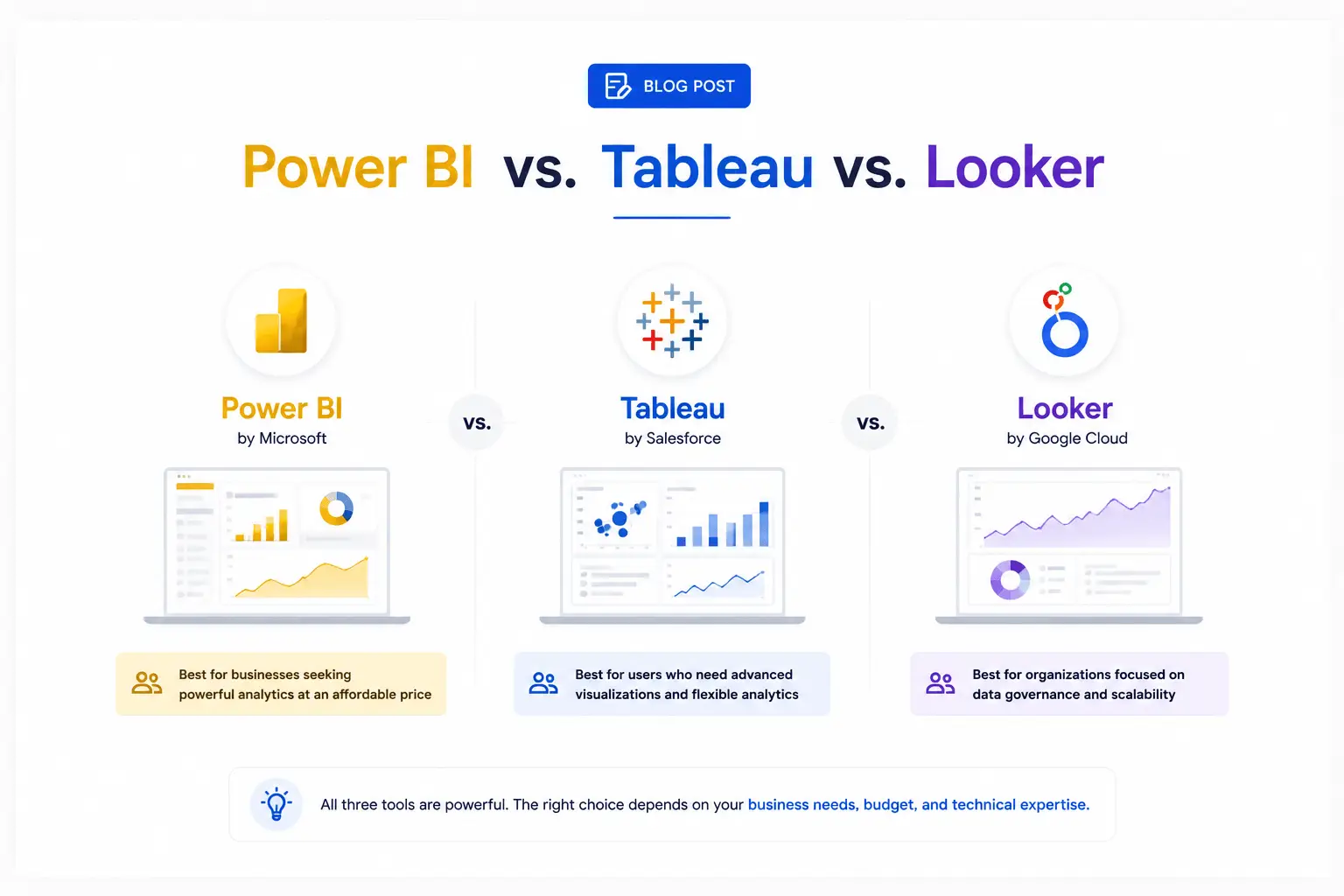
Power BI vs. Tableau vs. Looker: Which BI Tool Is Right for Your Business in 2026?
Read the guide →
Real-Time Dashboard Analytics: Why Your Business Can't Afford to Wait for Yesterday's Data
Read the guide →